
bet365 My Alerts: How to Set Price Alerts & Never Miss Target Odds 2026


Short Summary
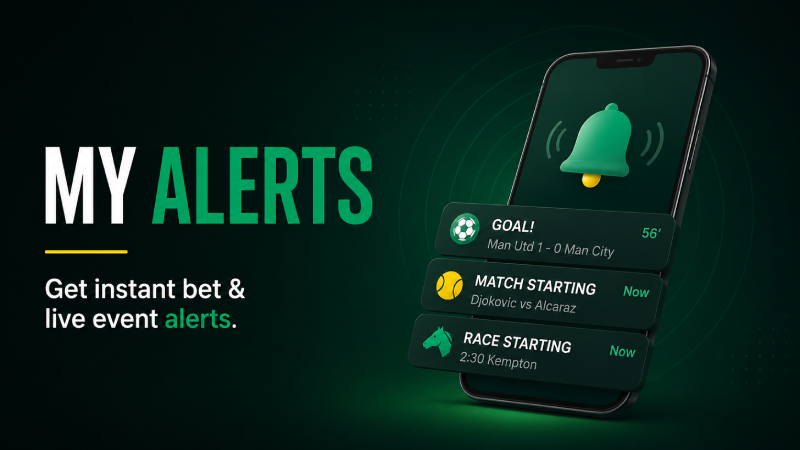
bet365 My Alerts lets you set personalised notifications on specific selections — so when a price reaches your target, you get alerted instead of having to keep checking. You can set alerts for odds movements, match kick-offs, race starts and more, delivered via push notification on the app or email. It's a practical tool for value bettors who have a price in mind and don't want to miss the window when it arrives.
What is bet365 My Alerts?
My Alerts is a personalisation feature on bet365 that sends you notifications when specific conditions are met. Instead of repeatedly checking a price and hoping it moves in your favour, you set a trigger — and bet365 tells you when it happens.
It's a simple concept that saves a lot of time and helps you catch value that would otherwise pass you by. If you've ever gone back to place a bet and found the price had already moved, My Alerts is the tool designed to prevent that.
What Types of Alerts Can You Set?
bet365 My Alerts covers several different notification types:
Price Alerts
The most useful type. Set a target price on any selection — for example, "notify me if Arsenal to win goes to 3.00 or better." When the price drifts out to or past your target, you receive an alert and can act immediately. This is the core use case for value bettors.
Event Start Alerts
Get notified shortly before a match, race or event you're interested in is about to go live. Useful for in-play bettors who want a reminder that a match is kicking off so they can check the early in-play markets.
Bet Settlement Alerts
Notifications when your open bets are settled — wins, losses or voids. Useful for keeping track of results without having to log in to check.
Promotion Alerts
Opt in to receive notifications about relevant bet365 offers — price boosts, enhanced odds or sport-specific promotions. Can be toggled off if you'd rather not receive promotional messages.

How to Set Up a Price Alert on bet365
- Find the selection you want to track — navigate to the match, race or outright market on bet365.
- Click on the odds for the selection to add it to your bet slip, then look for the bell icon or "Set Alert" option — this appears alongside eligible markets.
- Alternatively, use My Alerts directly — go to My Account → My Alerts → Add Alert, then search for the event and selection.
- Set your target price — enter the odds level you want to be notified at (e.g., 4.00 or higher).
- Choose your notification method — push notification via the app, email, or both.
- Save the alert — it's now active. You can view and manage all your active alerts in the My Alerts section of your account.
Note: Push notifications require the bet365 app on iOS or Android with notifications enabled for the app on your device. If notifications are disabled in your phone settings, you'll only receive email alerts.
How to Manage Your Alerts
All your active alerts are visible in the My Alerts section of your bet365 account. From there you can:
- View all active alerts — see every alert you've set with the selection, market and target price at a glance
- Edit an alert — change the target price or notification method without deleting and recreating
- Delete individual alerts — remove alerts you no longer need, for example after you've placed the bet
- Clear expired alerts — alerts for events that have already taken place can be cleared to keep the list clean
There's no limit on how many alerts you can set, so you can track multiple selections across different sports simultaneously.
How to Enable Push Notifications for bet365 Alerts
If you're not receiving push notifications, check the following:
- iPhone: Settings → Notifications → bet365 → Allow Notifications (toggle on)
- Android: Settings → Apps → bet365 → Notifications → Allow
- Within the bet365 app: My Account → Notification Preferences → ensure My Alerts notifications are turned on
If push notifications are off at the device level, bet365 can't override this — you'll only get email alerts until you re-enable them.
Best Ways to Use My Alerts
Value Betting — Waiting for a Price to Drift
A selection you like is currently at 2.50 but you think 3.00+ represents real value. Set an alert at 3.00. When the market moves — perhaps after team news, an injury update or simply as the event gets closer — you'll be notified immediately. This is the most powerful use of the feature.
Ante-Post Outright Betting
Outright markets — Premier League winners, tournament outright betting, horse racing ante-post — can stay open for weeks or months. Prices fluctuate significantly over time. Set alerts on players or teams you want to back at a specific price, and wait rather than settling for the current odds.
Horse Racing — Early Price vs SP
If a horse is available at an early price you like but you want to compare with the market closer to the race, set an alert for the race start time. You'll get a reminder to check the market an hour before the off rather than forgetting entirely.
In-Play Preparation
Set match start alerts for games you plan to follow in-play. A quick notification 10–15 minutes before kick-off means you're ready to watch the early exchanges and react to the opening in-play markets rather than catching them 20 minutes in.
Advantages of bet365 My Alerts
- Stop missing target prices The most practical benefit — you no longer need to manually check a price repeatedly. Set the trigger and get on with your day.
- Supports a value betting approach Value betting depends on patience and discipline — waiting for the right price rather than taking the current one. My Alerts makes that approach genuinely practical.
- Works across sports and markets Football outrights, horse racing, tennis, golf — price alerts work on most bet365 markets, not just the most popular ones.
- Push notifications are instant When a price hits your target, the notification arrives immediately. In fast-moving markets, a few minutes can make the difference between catching a price and missing it.
- Easy to manage in one place All active alerts visible in My Alerts — no scattered notes or spreadsheets needed to track what you're watching.
Disadvantages of bet365 My Alerts
- Requires app for push notifications The most useful delivery method — instant push notifications — only works through the mobile app. Desktop users are limited to email, which may not be checked quickly enough to act on a short price window.
- Prices can move quickly past your target Getting an alert doesn't guarantee you can act in time. Prices on popular markets can hit a target and move back within minutes — particularly around team news or in-play events.
- Not available on all markets The Set Alert option isn't present on every single market on bet365. Some lower-volume markets or very short-term markets may not support the feature.
- Alerts don't place bets automatically My Alerts notifies you — it doesn't act for you. You still need to log in and place the bet manually once you receive the notification.
My Alerts vs Checking Odds Manually — Is It Worth It?
| My Alerts | Manual Price Checking | |
|---|---|---|
| Effort required | Set once, wait for notification | Check repeatedly — daily or more |
| Missing a price window | Low risk (instant notification) | High risk (price may move before you check) |
| Multiple selections | Easy — track dozens simultaneously | Impractical beyond 3–4 selections |
| Discipline support | High — only acts when your target is met | Low — tempting to settle for a worse price |
FAQs
What is bet365 My Alerts?
My Alerts is a notification feature that lets you set triggers on specific selections — most commonly price alerts (notify me when this odds reach X) or event start reminders. Alerts are delivered via push notification on the mobile app or by email.
How do I set a price alert on bet365?
Find the selection in the betting markets, look for the bell/alert icon alongside the odds, set your target price and choose your notification method. Alternatively go to My Account → My Alerts to set and manage alerts directly.
Do I need the bet365 app for My Alerts?
You need the app for push notifications, which are the most instant and practical method. Email alerts can be set without the app, but push notifications are significantly faster for acting on a price movement.
How many alerts can I set on bet365?
There's no stated cap on the number of alerts. You can track multiple selections across different sports and markets simultaneously.
What happens when my price alert is triggered?
You receive a push notification or email (whichever you selected) informing you the price has reached your target. You then need to log in to bet365 and place the bet manually — alerts notify but don't bet on your behalf.
Can I set alerts on horse racing markets?
Yes — price alerts are available on horse racing markets including ante-post outrights, race win markets and each way markets. Alerts also work for race start times if you want a reminder before the off.
Final Verdict
bet365 My Alerts is one of those features that seems simple but genuinely changes how you bet once you start using it. The ability to set a target price and wait — rather than settling for the current odds or forgetting about a selection entirely — directly supports smarter, more disciplined betting. It's particularly valuable for anyone who bets ante-post, follows outrights, or targets specific price levels on any market. Set it up on your phone with push notifications enabled and make it part of your regular approach — you'll be surprised how often you catch prices you would previously have missed.
Bet365 Site Features: